
Using CSS to Switch Between Desktop and Mobile Videos
Incorrect Usage
A common mistake is embedding separate desktop and mobile videos on the same page and using CSS media queries to control which video is visible based on the screen width.
For example, the following code illustrates what such an implementation might look like:
Why It's a Problem
CSS properties such as display: none only hide elements visually. They do not prevent embedded Vidalytics players from loading or running.
As a result, both videos may run simultaneously, even though only one is visible to the user. This can lead to several issues:
- Unexpected audio playback: The hidden video may start playing with sound, leaving the user unable to control or mute it.
- Unnecessary bandwidth usage and network load: The hidden video continues consuming bandwidth and increasing network load despite not being visible to the user.
- Inaccurate analytics: Playback events from the hidden video may still be tracked, resulting in misleading statistics.
- Reduced page performance: Loading and running multiple players can increase resource usage and slow down the page.
Recommended Approach
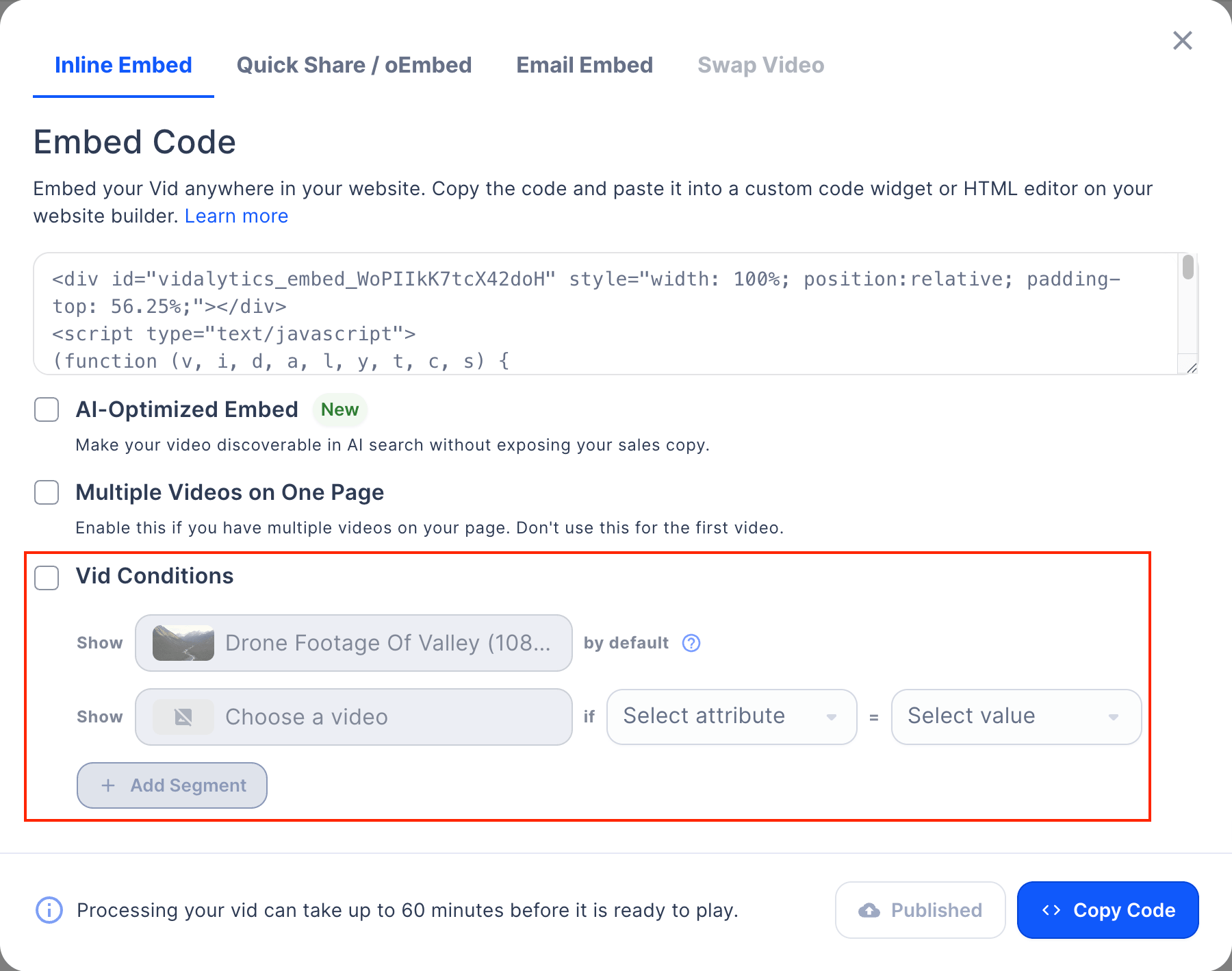
Instead of using CSS to switch between videos, use the built-in Vid Conditions feature. It allows you to display the appropriate video based on various attributes, including the device's screen width, ensuring that only the selected video is loaded.
To configure Vid Conditions:
- Open the Embed Code popup for your video.
- Enable the Vid Conditions checkbox.
- Add a condition based on screen width and select the alternative video for the specified screen size.
- Copy the embed code and add it to your page.
This approach prevents hidden videos from playing in the background, avoids unnecessary bandwidth usage, and ensures more accurate playback analytics.